
Training Needs Assessment Survey Template
A 14-question training needs assessment survey you can send this week. It asks where the work is hard, what people would pay for, and what stops them finishing. Answer it here, or open it in the editor.
- 14questions
- 4 to 5 minto complete
- Job familiesnot individuals
- Before you booknot after
What a training needs assessment can decide, and what it cannot
A need is not a wish. Federal guidance defines it as the gap between what a job requires and what is happening now, at three levels: the organization, the occupation and the individual.[1] A staff survey answers the last of those and feeds the middle one. It cannot answer the first.
Training may be the wrong fix. The same guidance is blunt: "Sometimes training is not the best solution, and it is virtually never the only solution."[1] A gap can be tools, an unclear process, or nobody saying when the work is wrong. Question six asks that before the topic list.
Every question is already built, so you can create a free survey from this template, swap in your own job families and send it today.

Two nearby surveys do a different job. If the topic is chosen and the session booked, that is the pre-training survey.
Where the other half of the answer comes from
What someone says they need is a felt need: real, but bounded by what they perceive and what they know is on offer.[3] Ranked alone, it sorts topics by who asked loudest.
So the survey supplies one axis and the role supplies the other. Official guidance lists it beside strategic plans, job descriptions and appraisals, not in place of them.[1]
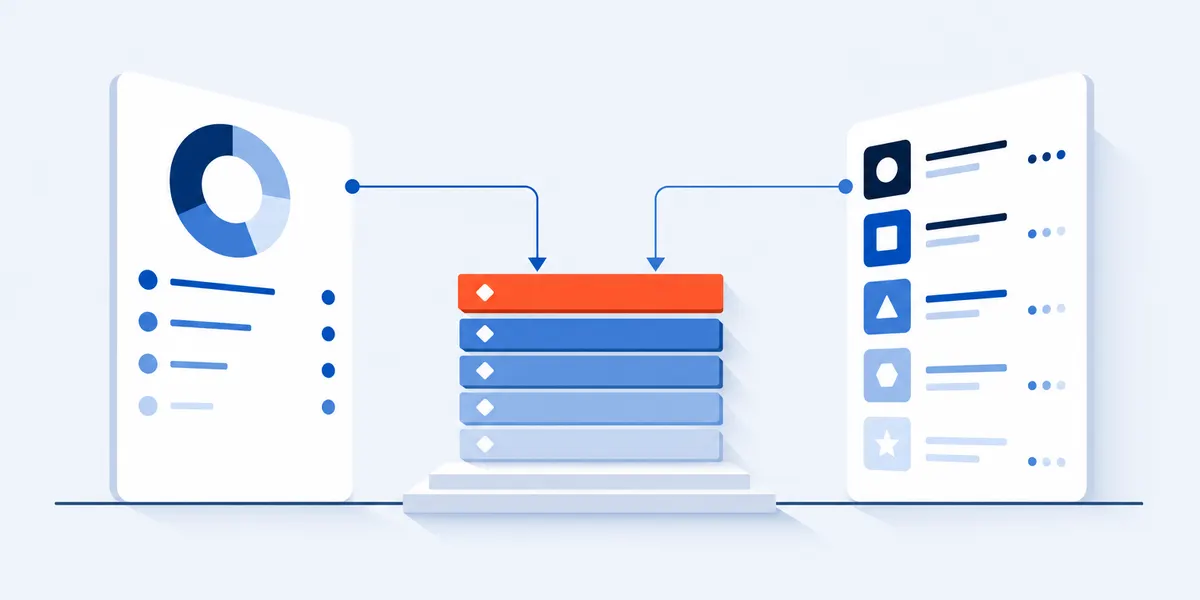
Build the role list first, then edit the survey to match it. Pick a source below, list the tasks the role covers, and tick the ones that have to go well this year. Then replace the eight sample topics in the two topic questions with the tasks you ticked, before you send. That edit is what makes the ranking below work: topic list and role list become one list.
| Where the role list comes from | What it gives you |
|---|---|
| The job description you hired against | The tasks the role was created to do, in your own words. |
| A competency framework, if you have one | Levels already agreed, so nobody argues about the bar. |
| The O*NET task and skill lists for the occupation | Task, skill and knowledge lists published by the US Department of Labor, free to copy and adapt.[4][5] |
| What the business committed to this year | The tasks that have to go well for the plan to work. |
The 14 training needs assessment questions
Every question, its answer scale, and what a weak answer looks like. Copy a block or the whole set.
Your job family
The only cut this survey asks for. Every answer below is read inside it.
- Which job family best describes the work you do?Edit this list first. A free-text role box is not countable.
Where the work is hard
Four plain statements about the job as it is done now. This is the half a survey can supply.
- I can do every part of my current job well today.Watch the spread, not the average. No low scores, no need worth funding.
- I am confident with the tools and systems I use every week.Low here, high elsewhere, is a tools problem in a training costume.
- When the work changes, I can pick up what is new without waiting for help.Tells you whether a change already under way needs training at all.
- Most of what I need to learn for this job, I learn by asking a colleague.High agreement means the budget is already paid, in other people's time.
Whether training is the fix
Two questions that can stop you buying a course.
- Think of the part of your job that goes least well. What is most in the way?Anything but the first option, and the answer is not a course.
- If someone showed me how to do that part of the job, my work would change.Low here beside a big reported gap: they do not believe training is the fix.
What people would fund
Replace these eight sample topics with the tasks you ticked on the role list before you send. The second question forces a choice.
- Which of these would help you most in the next three months? Choose up to three.A share of people, not of ticks. The cap is wording, so a few pick five.
- If only one of these could be paid for this quarter, which would you pick?A topic that wins the tick list and loses this one was popular, not needed.
What stops training working
A funded topic nobody can attend is a wasted budget line.
- What usually stops you finishing training that is offered? Choose all that apply.If time and cover lead, book the release time before you book the course.
- My manager would give me time in the working week for the one topic I picked.A topic ranked first by a group scoring low here is paid for and not attended.
Their words, and the closing question
Two open answers before the end, so people still have a reason to type.
- Describe one task you were asked to do this year that you did not feel ready for.The most quotable answers here, and the ones a budget holder remembers.
- What can you do well that someone else in your role could learn from you?A blank across a whole job family says more than any topic count.
- I would put time into training this quarter if it were offered.Willingness, asked last: a survey that ends on a text box loses the answer.
Turning the answers into a ranking that survives a budget meeting
Rank each topic on the share of its own pickers who also report trouble doing the job well, not on how many people picked it.
| What the answers look like | What it means | What to do with it |
|---|---|---|
| Many pick it, few of them report trouble | Demand without a gap. It will not change output. | Fund it last, and say why. |
| Few pick it, most of them report trouble | A gap nobody has named. Usually the most valuable finding. | Fund it first, and explain it before you announce a course. |
| Trouble reported, but the barriers say time, tools or process | Not a training need. A course will not close it. | Fix the time, the tool or the process. |
A worked example. Suppose 31 people answer in customer service. Twenty pick "handling difficult conversations", and six of those twenty also disagree that they can do every part of the job well. Nine pick "reading and using data", and seven of those nine disagree. Thirty percent against seventy-eight: the second topic ranks first, on fewer than half the votes.
Report each rank with its reason. One line per topic: the job family, the share of its pickers reporting trouble, what the barriers said. Keep upskilling apart from refresher training, too: work nobody does yet is next year, work already done badly is this quarter.
If the barriers point at the learning platform rather than the topic, the LMS survey template asks about the system itself. Write down the one work outcome that should change before you send: that is what the post-training feedback survey re-asks afterwards.
You are asking adults to write down what they cannot do
No other training survey has a stronger reason to come back flattering. Two things lower the cost of an honest answer.
Say confidential, not anonymous. Whoever owns the survey can open every response as a row, so anonymous is not a promise you can keep. Name that owner in the invitation, and pick someone who does not decide promotions for the people answering it.
One cut, not three. This template asks for job family and nothing else. Add department and length of service and you can identify someone in a team of twelve, and people work that out before they answer. Roll any family with fewer than five responses into the next one up.
If a group says its manager will not release the time, the ranking is not the finding. The manager effectiveness survey reads that problem directly.
Confidentiality statement for the survey intro
How your answers are used

This survey asks for your job family and nothing else. No name, no team, no email address.

[NAME] is the only person who reads the answers, one response at a time, so treat this as confidential rather than anonymous. Any group of fewer than five people is combined with the next one up.

Nothing here reaches a performance review. It decides which training gets paid for this year.
Two decisions to make before this survey goes out
Both belong to a needs survey and nothing else. Mechanics common to every survey sit in the survey research guide.
Name the job families before you write anything
You can only rank what you can group. List the families you would fund separately, each big enough to report on its own.
Close it before the money is allocated
Pick a date a clear week ahead of the budget conversation. A list arriving afterwards changes nothing until next year.
Training needs assessment FAQ
Can I send the same survey to two different departments?
Yes, and you should. The ranking only works if identical wording reaches every group you might fund. Change the job family list so both can find themselves in it, set one topic list that covers both, and leave the wording of the rest alone.
How often should we run a training needs assessment?
Once a year, timed to land before the budget is set, is enough for most employers. Run it again mid-year only for a group whose work has actually changed, such as one that has taken on a new system.
Do I have to survey everyone, or can I sample?
Send it to everyone in the job families whose training you might pay for: a sign-up link ranks the keenest people, not the biggest gaps. If a family is too large, draw a random sample rather than letting people opt in.
Is a training needs assessment the same as a skills assessment?
No. This survey works at the level of a job family, and answers what to fund and whether to fund training at all. A skills assessment works at the level of a named person, against the skills the role needs. You want both, in that order.
Methods and sources
What this template is based on
The definition of a need, the three levels, the warning that training is often not the answer, and the requirement that funded training support the mission are US Office of Personnel Management guidance.[1][2] The felt-need distinction is Bradshaw's, from social policy rather than learning and development.[3] The levels and the mix of methods are corroborated by a peer-reviewed review and by CIPD.[6][7]
Question licensing
No licensed instrument is reproduced or imitated. O*NET is named as a source of role task lists: this page includes information from O*NET Resource Center by the U.S. Department of Labor, Employment and Training Administration (USDOL/ETA). Used under the CC BY 4.0 license, creativecommons.org.[5]
Limits and disclosure
Every answer is self-reported, so it describes what people perceive, not what an observer would measure. The OPM and CIPD guidance is written for public bodies and UK employers, and the review cited covers public health organizations only. Nothing here is a benchmark.
SuperSurvey makes the editor this template opens in. Everything on this page works with or without it.
References
- U.S. Office of Personnel Management. Planning and Evaluating. Training and Development. opm.gov
- U.S. Office of Personnel Management. Training Program Management. Training and Development. opm.gov
- Steinbach, R. and Kwiatkowska, R. Concepts of Need and Social Justice. Public Health Textbook, Health Knowledge, 2016. healthknowledge.org.uk
- O*NET Resource Center. The O*NET Content Model. U.S. Department of Labor, Employment and Training Administration. onetcenter.org
- O*NET Resource Center. Content License. U.S. Department of Labor, Employment and Training Administration. onetcenter.org
- Czabanowska, K. and Rodriguez Feria, P. "Training needs assessment tools for the public health workforce." European Journal of Public Health 34, no. 1 (2023): 59-68. pmc.ncbi.nlm.nih.gov
- CIPD. Learning needs analysis. Factsheet, updated 20 August 2025. cipd.org
Send the training needs survey before the budget is set
Fourteen questions, four to five minutes, read by job family. Open it in the editor, swap in your own roles and topics, and share one link.
Use this template