
The cyber security questionnaire for employees, and what to ask
Fourteen questions about what people do and what stops them. Not a test with right answers, and not a control audit. Answer them below, copy any block, or open the lot in the editor.
- 14questions
- About 4 minto complete
- 3on the reporting path
- Noright answers
Three different documents get called a cyber security questionnaire
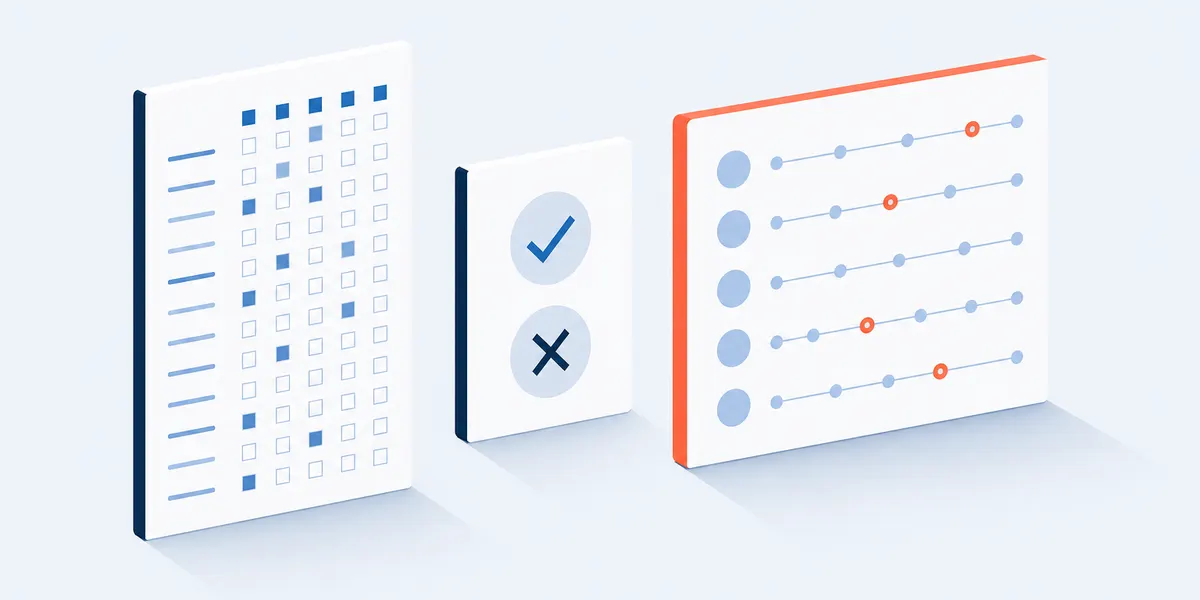
A control audit, a knowledge test and a staff survey. Different respondents, different outputs, and the search results mix all three.
The control audit. A register of assets, threats and controls, scored for likelihood and impact by whoever runs the systems. It is a spreadsheet, it is what a risk assessment template means, and no opinion goes in it.
The knowledge test. Right answers and a score per person. It records who read the training, a different measurement from whether the rule survives a deadline, so it cannot say why a control gets worked around.
The staff survey. What people do, what they can see and what gets in their way. No right answers, no score against a person, and the only one of the three that can name an unworkable rule.
| Control audit | Knowledge test | This survey | |
|---|---|---|---|
| Who answers | Whoever runs the system. | Each member of staff, individually. | Everybody who uses the systems. |
| What comes out | A register of gaps with owners. | A pass mark per person. | Percentages by group, and written answers. |
| Cannot see | What people do when the control is slow. | Whether the rule holds on a busy day. | The state of any system. |
| Where to get one | A risk register or controls workbook. | A quiz tool. | The fourteen below. |
The argument for running the third one at all. In the most recent UK national statistics, phishing was the most prevalent kind of breach or attack, reported by 38 per cent of businesses in the previous twelve months, while only 19 per cent of businesses had given staff any form of cyber security training in the same period.[3] The attack that arrives most is the one aimed at people, and most of those organizations were not yet measuring how their people handle it.
The 14 cyber security survey questions, and what each answer tells you
Every question, its scale, and how to read it. Copy one block, copy all fourteen, or open the survey and rename the tools.
Who is answering, in two taps
Two cheap questions first, because a security answer is unreadable without them. A field engineer on a shared tablet and an accounts payable clerk approving invoices are not asked to do the same things, and one average hides both.
- Which of these is closest to the work you do?The one cut worth making before any average is read. Put your own function names in, and merge any group small enough that an answer would give away who wrote it.
- Which of these are a normal part of your working week?Exposure, described by the person rather than inferred from a job title. Anyone ticking payments or elevated access is a group to read on its own.
The reporting path
Three of the fourteen sit here because this is the part an organization can change inside a fortnight. Knowing the route, having used it, and what would stop you are three separate facts, and the third names the fix.
- If a message arrived today that looked like an attempt to trick you, where would you send it?The destination, as the respondent understands it today. The last three options are failures of the path rather than of the person, and they are the number to watch.
- In the last 90 days, have you reported anything that looked suspicious?Behaviour rather than intention, in a window short enough to remember. Read it against question 3, which separates people who never knew the route from people who knew it and did not use it.
- What would slow you down before reporting something?The one item that hands you a fix per option, mapped below the bank.
What the working day actually asks of you
Five statements on one 5-point agree scale, about what a person is expected to manage without help: what counts as sensitive, an odd request, signing in, a missing device, and where credentials live.
- I know which of the things I work with count as sensitive.Classification, asked about this person's own work rather than about a policy document they may never have opened.
- I can check that an unexpected request is genuine before I act on it.Verification, framed as a capability rather than a rule. A low score from people who ticked payments in question 2 is the one to act on first.
- Signing in to work systems is quick enough that I never look for a way round it.Friction at the front door, and the partner of question 11: a control people cannot live with is where a workaround comes from.
- I know what to do if a work device of mine goes missing.The one event where minutes matter. If this scores low, the fix is a card in the joiner pack, not a training module.
- How often do you use a password manager for your work accounts?One concrete habit, with an option for the case where nobody was given the tool. Rule that option out before reading anything as a personal failing.
Where the rules bend, and why
Two items about the gap between the policy and the day. The first asks what the respondent has SEEN, not what they did: somebody asked to admit a breach under their own department label answers with silence, and the useful answer is the barrier, not the culprit.
- Which of these have you seen happen where you work?Prevalence, gathered without asking anybody to incriminate themselves. A high count describes your controls, not your colleagues.
- When I ask for help with a security tool, I get an answer soon enough to keep working.The support side of the same coin: a workaround and a slow answer to a request for help are one event seen from two ends.
Training, and one open box
One item on whether the training matched the job, and one box for what the other thirteen missed. It is last and optional, so the survey ends at a tap.
- The security training I have had is about the work I actually do.Relevance rather than satisfaction. Somebody can enjoy a session about a threat with nothing to do with their work, and satisfaction would score it well.
- What is the one security rule or tool that most gets in the way of your work?Read these first. This is where the specific tool, screen or rule gets named.
All fourteen run in the preview above, so a free online questionnaire opens them in a couple of minutes, wording yours to change.
Three subjects deliberately left out. One simulated phishing campaign has its own instrument, and the phishing survey questions template scores that campaign rather than the year. Doors, passes and premises are a walk-round, not a questionnaire. And where people route around one screen rather than one rule, the thing to score is the interface, which the usability survey template does properly. Satisfaction with the IT service itself is a third instrument, and the it satisfaction survey questions template deliberately asks no security question at all.
Why three of the fourteen are about reporting
The part of this subject a survey can measure honestly and an organization can change inside a fortnight.
A click rate is a property of the email, not of the workforce. When NIST built a scale for rating how hard a phishing message is to spot, it applied it to ten workplace training exercises inside one organization, and the click rates ran from 3.2 per cent, two people out of 63, to 49.3 per cent, 36 out of 73.[1] One organization, one programme, a fifteenfold spread, because the messages differed. A number that moves that far on the bait is not a verdict on the people.
What a reported message tells you instead. The UK national cyber security authority puts the reason in one line: "metrics express an organisation's values, and if you appear to value the absence of reports of problems, you incentivise people to keep quiet about issues", and it asks organizations running simulations to "focus on how many people reported it".[2] A report is an action somebody chose to take, and every part of that choice is changeable: the route, whether it seems worth using, and what happens to them afterwards.
Which is why blame is expensive. The same guidance is blunt about it: "Don't reprimand users who are struggling to recognise phishing emails. Users who fear reprisals will not report mistakes promptly, if at all."[2] That is why question 5 offers "worrying that I caused it" as an option to tick, and why nothing here asks for a confession.

| If people tick this in question 5 | What it points at | The smallest fix |
|---|---|---|
| Not being sure it is really a problem | A bar so high that only certainties get sent. | Say in writing that a wrong guess is welcome. |
| Worrying that I caused it | Blame, real or expected. | One published line on what happens to somebody who reports their own mistake. |
| Not knowing who to tell | A route that exists in a policy nobody reads. | One address or one button, named in the same place every time. |
| Thinking it is not worth anyone's time | Reports treated as noise rather than as signal. | Tell people what the volume gets used for. |
| Being too busy at that moment | A route that costs more than the moment allows. | One action, not a forwarded email with an explanation. |
| Reporting before and hearing nothing back | A one-way channel. | An acknowledgement, then a monthly note on what came in. |
One thing worth knowing before you attach this to a simulation. A study running fifteen months across more than 14,000 employees found that training delivered at the moment somebody failed a simulated phish left them more susceptible rather than less, while asking employees to flag suspicious messages proved practical and sustainable at that scale.[4] So send this on its own cycle rather than stapled to the next campaign, and keep the reporting block the deepest part of it.
How to read what comes back, and how to send it
Three numbers, one rule about groups, one sentence for the invitation.
Start with the open box, then the reporting funnel. Read question 14 before any average: it is the only place a specific tool or rule gets named. Then put question 3 next to question 4, because people who know the route and still let something go need the opposite fix to people who never had one.
Then percent favourable, by theme, not by item. Questions 6 to 9, 12 and 13 sit on one 5-point agree scale, so count the share choosing agree or strongly agree, per theme. A theme built on three or four items survives one badly worded question; a headline built on one item does not. If question 13 is the theme that scores worst, the next thing to establish is which groups need what, which the training needs assessment questions template does.
Question 11 is prevalence, not guilt. A high count on shared logins is a statement about how access requests are handled, and a high count on turned-off prompts is a statement about how the prompt behaves at three o'clock on a deadline. Route it to whoever owns the control, not to whoever owns the people.
Groups, and the one line for the invitation. This template asks for no name and no email address, and the answers arrive in the account that published the survey, so say exactly that and promise nothing further. Question 1 is the only thing that could narrow anybody down: merge functions until every reported group is comfortably large. Send it once a year, or twice if something changed, on the same wording each time.
Employee cyber security survey FAQ
What should a cyber security questionnaire for employees ask?
Five things, none with a right answer. Who is answering and what they touch; where they would send something suspicious and whether they have; what would slow them down before reporting; what the day asks of them on classification, verification, sign-in, a missing device and credentials; and one open box.
Is this a cyber security risk assessment template?
No. A risk assessment is a register of assets, threats and controls, scored by likelihood and impact, completed by whoever runs the systems. This is a survey of the people who use them. If you need the register, start from a controls instrument such as the compliance survey questions template and treat this one as the human half a register cannot see.
How many cyber security survey questions for employees is enough?
Fourteen here, against lists of twenty to twenty-nine elsewhere. Every one is running in the survey above with a stated reason and a stated way to read it. To go longer, add depth to the reporting block rather than breadth across new subjects.
Should an employee cyber security survey be anonymous?
This template asks for no name and no email address, and the answers arrive in the account that published it, so whoever administers the survey can see them. Say that in the invitation and promise nothing more. Question 1 is the only thing that could narrow somebody down, so merge small groups first.
What should we never ask staff about security?
Passwords, one-time codes, security question answers, the details of a specific incident, or anything that makes a person identify themselves as the cause of one. Question 11 is the alternative: it asks what somebody has seen, not what they did.
Does this cover the awareness training our auditors ask about?
It covers the measurement half. Awareness requirements sit in ISO/IEC 27001:2022 and in NIST Special Publication 800-50 Revision 1, which frames a learning programme around behaviour change and offers metrics for it.[5] Neither is reproduced here and neither is a survey. This gives you a repeatable measure to put against whichever one your auditor works from.
Michael Hodge, survey methodology and questionnaire design · Updated 9 September 2026 · How templates are reviewed
Sources (5)
- Steves, M., Greene, K. and Theofanos, M. Categorizing human phishing difficulty: a Phish Scale. Journal of Cybersecurity 6(1), 2020, tyaa009. academic.oup.com. Written by US Government employees and in the public domain in the US.
- National Cyber Security Centre (UK). Phishing attacks: defending your organisation. ncsc.gov.uk
- Department for Science, Innovation and Technology and Home Office. Cyber security breaches survey 2025/2026, published 30 April 2026. Fieldwork August to December 2025; 2,112 UK businesses and 1,085 UK registered charities. gov.uk. Contains public sector information licensed under the Open Government Licence v3.0.
- Lain, D., Kostiainen, K. and Capkun, S. Phishing in Organizations: Findings from a Large-Scale and Long-Term Study. IEEE Symposium on Security and Privacy, 2022. arXiv:2112.07498. arxiv.org
- Merritt, M., Hansche, S., Ellis, B., Sanchez-Cherry, K., Snyder, J.N. and Walden, D. Building a Cybersecurity and Privacy Learning Program. NIST Special Publication 800-50 Revision 1, September 2024. csrc.nist.gov
Putting three of the fourteen questions on the reporting path, and treating a click rate as a property of the message rather than of the workforce, rests on NIST's phishing difficulty work and its ten measured exercises[1] and on the UK national authority's guidance about what to measure and what not to punish.[2] The case for running the survey at all uses the most recent UK national statistics on breach types and staff training.[3] Running it on its own cycle rather than stapled to a simulation follows a study of more than 14,000 employees.[4] Framing an awareness programme around behaviour change follows current NIST guidance.[5] Every question here was written for this page and is free to copy, edit and send anywhere. Nothing reproduces a licensed, paid or standardised instrument. Four candidates were checked against their primary licence text on 9 September 2026 and all four refused: ISO/IEC 27001:2022 and its Annex A awareness control, sold per user with no free licence readable; the CIS Critical Security Controls, offered under a Creative Commons Attribution-NonCommercial-NoDerivatives licence that rules out a commercial site and any reworking of control text into questions; the HAIS-Q, whose copyright statement grants use to educational and non-profit institutions only; and SeBIS, for which no free licence could be read. NIST publications are not subject to copyright in the United States, and even so no NIST text is reprinted here.
Fourteen questions, about four minutes
Open it in the editor, rename the functions in question 1, put your own reporting route into question 3, and pick the month.
Use this template