
Post-chat survey questions for a live chat or a phone call
One contact, ten questions, and you can answer it here first. It is a web survey, so it cannot sit inside your chat window or answer your phone line: the wording is what transfers, and it works in a chat bubble, read aloud or on a link.
- 10questions
- About 2 minto answer
- One contacta chat or a call
- Chat windowor read aloud
When to ask a post-chat survey, and what each moment can tell you
The same questions, asked at five different points, do not come back from the same people or with the same numbers.
| The moment | What it can tell you | What it cannot | Whose system delivers it |
|---|---|---|---|
| In the chat window, before it closes | Which conversation it is about: the session is still open. | Whether the fix held. The problem is minutes old. | Your chat platform. |
| Inside the call, before the agent hangs up | The same, spoken, from people who never open a follow-up message. | Anything typed. A spoken answer is a recording to listen to. | Your phone system. An IVR survey runs from a script inside it, and only that platform can play it.[1] |
| A link sent straight afterwards | All ten questions on a screen, with room for a wider scale and a typed comment. | Who did not answer. You hear from people who open messages. | Your chat, contact center or helpdesk platform. The survey is a URL. |
| A person gets back in touch and offers it at the end | Far more: one study completed 1.9 percent on a cold automated dial and 44.9 percent when a human interviewer offered it first.[3] | Anything comparable week to week. That was a population health survey. | A named person on your team. |
A chat and a call are two instruments, not two buttons. Nobody has published an experiment running the same items through a chat window and a phone line side by side. What has been measured is aloud against on-screen: answering by phone or IVR made an extreme positive answer about twice as likely on the overall item as answering on a screen, and demographics did not explain it.[4] A chat window is a screen, so expect chat to read lower than phone for reasons that have nothing to do with your agents.
So do not add them together. Question two is the field every other answer is cut by: one channel per trend line. Worded answers rather than a bare number line for the same reason, since an aural scale labelled only at the ends pulled answers toward the top.[4] The case is on the Likert scale page. Asked before the conversation ends, an answer can only be about that conversation,[2] which is the argument for the first two rows.
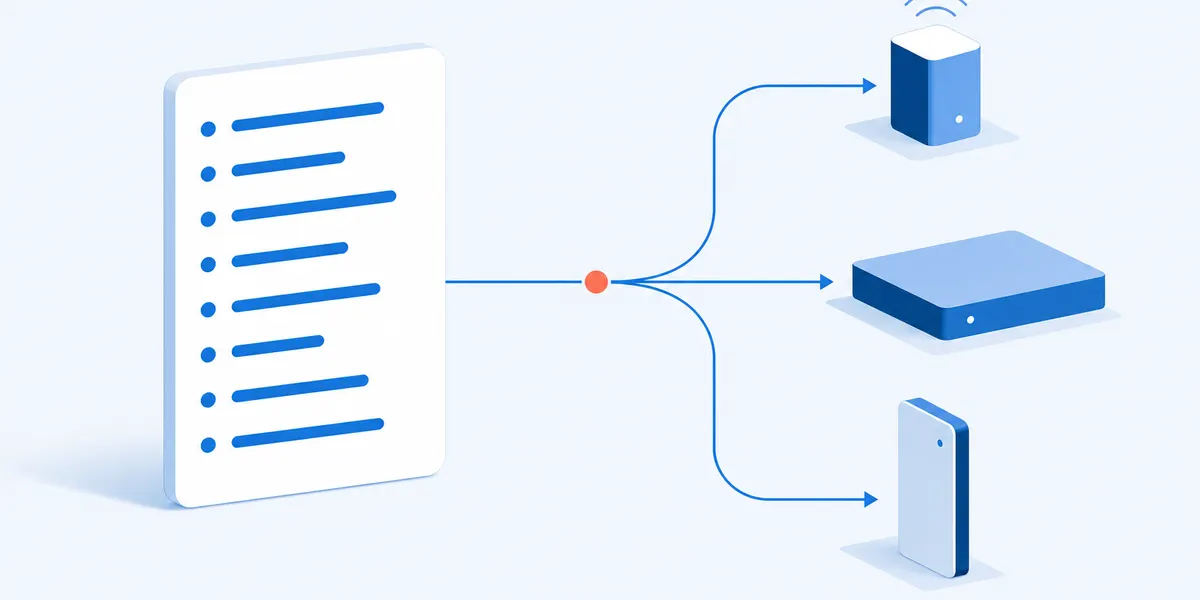
The 10 post-chat survey questions, and what each one is for
Every question, the answers it offers, and what a bad answer tells you. Then the four-item version for a chat window.
What happened, and where
Two facts before any opinion.
- Was the problem you contacted us about resolved?Asked first, and as a fact, so somebody whose problem was not fixed still has an honest answer. Partly and No are the follow-up list.
- Was this a live chat or a phone call?The field every other answer is cut by. Delete it where one form serves one channel; keep it the moment it serves both.[4]
How it went
The headline, then one attribute each, so a low answer points at a queue, a person or a script.
- Overall, how satisfied are you with the way this was handled?The headline. Satisfied beside an unresolved problem means the agent was good and the policy was not.
- How satisfied are you with how long you waited before somebody answered?The wait itself, not whether it met a standard you set. The one answer a staffing plan can move.
- How satisfied are you with how well the person understood your problem?One attribute, chosen because a coach can work on it. Courteous and professional is two attributes in one stem.
- How satisfied are you with how clearly things were explained to you?Low here beside a resolved problem is a script to rewrite, not a person to retrain.
Effort, and whether they have been here before
The two cheapest questions, and the two that explain a low rating.
- How easy or hard was it to get this sorted?Effort in plain words, not a scored index. The idea comes from a 2010 Harvard Business Review article.[6]
- Have you contacted us about this same problem before?A second contact about the same thing is a fix that did not hold, and it changes what question one means.
How to reach them, then their words
In this order, because the open answer ends the survey.
- If you would like someone to come back to you about this, leave a number or an email address.The only question that could identify anybody. Delete it in a chat window, where the transcript already has them; after a call it is the difference between a rating and a call back.
- In your own words, what happened?On a spoken script this is the recorded comment. It asks what happened, not for suggestions.
Two swap-ins
Each one only in the case named beside it.
- Overall, how satisfied are you with the way this was handled? Answer on a scale of 0 to 10.Widen the item you compare across channels: aural and visual answers differed on every five-point item in that study, and not on the ten-point one.[4]
- Were you handed from one person to another during this chat?A transfer is where a chat loses its thread. Answers: No, Yes once, Yes more than once. It explains a low question seven.
Editing it. All ten are loaded, so you can make a questionnaire from this one. Keep question one first and the open answer last.
Not in here, on purpose. No age band, no gender question, no recommend score, no grid and no ranking. A chat bubble shows one question at a time and a script has to be listened to, so one limit serves both.
The four-item version, for a chat window
THE LINE THE AGENT TYPES BEFORE CLOSING
Before you go, four quick questions about this chat. Under a minute, and
you can close the window whenever you like.

1. Was the problem you contacted us about resolved?
   Yes, completely / Partly / No

2. Overall, how satisfied are you with the way this was handled?
   Very dissatisfied / Dissatisfied / Neither satisfied nor dissatisfied /
   Satisfied / Very satisfied

3. How easy or hard was it to get this sorted?
   Very hard / Hard / Neither easy nor hard / Easy / Very easy

4. In your own words, what happened? (open box)

CLOSING
Thank you. The team that handled this chat reads what you wrote.
Call center survey questions: the same set after a phone call
What changes when the conversation was spoken rather than typed.
Eight of the ten do not change. Rename it in the editor, drop question two because a phone-only form already knows the answer, and read question four as the wait before a person picked up. On outbound calls question four has nothing to measure at all, so swap it for "did we call you at a time that suited you", answered Yes, It was not ideal, or No.
Two things do change. The typed answer becomes a recording somebody has to listen to, and question nine matters far more: a chat transcript already carries who the person is, a finished call carries nothing. Expect the phone column to read higher than the chat column,[4] and higher is not better.

The call center survey script, written to be read aloud
The same questions as a spoken script, for whichever phone system you run.
Why the wording is shaped like this. An IVR survey presents scale questions, yes or no questions and a recorded comment, and nothing else.[1] So no answer list runs past five options and there is no grid or ranking, which is also what makes the set fit a chat bubble. Say how long it takes in the opening, because the length a questionnaire announces changes how many people start it.[5]
The read-aloud script, for your own phone system
OPENING
Before you go, nine short questions about the call you have just had. It
takes about two minutes, and you can hang up at any point. Answers you
have already given are kept.

1. Was the problem you called about resolved?
   Press 1 for yes completely, 2 for partly, 3 for no.

2. Overall, how satisfied are you with the way this was handled?
   Press 1 for very dissatisfied, 2 for dissatisfied, 3 for neither
   satisfied nor dissatisfied, 4 for satisfied, 5 for very satisfied.

3. How satisfied are you with how long you waited before somebody
   answered? The same five answers, 1 through 5.

4. How satisfied are you with how well the person understood your
   problem? The same five answers.

5. How satisfied are you with how clearly things were explained to you?
   The same five answers.

6. How easy or hard was it to get this sorted?
   Press 1 for very hard, through to 5 for very easy.

7. Have you contacted us about this same problem before?
   Press 1 for no, 2 for yes once before, 3 for yes more than once.

8. If you would like someone to come back to you, please say your number
   or your email address after the tone.

9. In your own words, what happened? Please speak after the tone.

CLOSING
Thank you. That is the end of the survey.
Sending a link instead? The survey is a URL and your own system carries it. SuperSurvey shares surveys as a link, an email, an embedded block or a social post, and it does not place calls, play recorded prompts, sit inside a chat window or send text messages. The questions are ours; the delivery is yours.
Sending it, and reading what comes back
Three decisions that belong to a survey about one contact. The rest is in the survey research guide.
Pick one channel per trend line
Chat and phone are not the same measurement, so a trend built from both moves whenever the mix moves. Question two lets you split them again.
Name the contact in the opening line
Put the date, and whatever your system records about why they got in touch, in front of question one. Otherwise a repeat contact rates the wrong conversation.
Read the outcome before the ratings
Yes completely on question one, satisfied or better on question three, easy or better on question seven. Partly and No are a list somebody works through.
What it does not compute. No percentage, no index, no target. For the score with the arithmetic worked through, use the CSAT survey template. A recommend number belongs to the relationship rather than one contact, so send the net promoter score survey on its own.
Where this survey stops. It rates one live conversation with a person. If a bot handled the chat, the chatbot survey template asks whether it finished the job. When the call was the appointment rather than a support contact, the patient satisfaction survey questions add two telehealth items.
If you are rating the whole help request rather than the conversation inside it, the customer service survey questions are built for that longer unit. For reasons rather than ratings, the customer feedback questionnaire collects them in the customer's own words.
Post-chat survey and after call survey FAQ
What is a post-chat survey?
A short questionnaire offered when a live chat with a person ends, usually inside the chat window itself. It asks whether the problem is fixed, how the conversation went and how hard it was. It is about that one conversation, not about the company.
How many questions should a post-chat survey have?
Four inside the chat window, about ten for a link sent afterwards. The longer a questionnaire says it is, the fewer people start and finish it, and later answers come back shorter and more alike.[5] To go shorter here, cut questions five and six.
Should it run in the chat window, or in a message afterwards?
In the window, if you have to pick one: the session is still open, so there is no doubt which conversation the answer is about. A message afterwards buys a longer form and costs you everybody who does not open it.
Is an after call survey the same survey?
Eight of these ten questions are, word for word. Drop the channel question and read the rest aloud. Expect higher numbers than the chat form returns: answering by phone made an extreme positive answer about twice as likely as answering on a screen.[4] Higher, not better.
Methods and sources
What this template is based on
What an IVR survey is, and the three answer types it can present, come from a vendor's product documentation and an independent trade definition.[1][2] Aloud against on-screen is a mixed-mode experiment on satisfaction questions.[4] That the moment moves participation is a study of automated phone surveys.[3] Length and ordering follow an experiment on questionnaire length.[5]
Question licensing
Nothing licensed is reproduced and every stem was written for this page. The effort question is credited to its 2010 origin[6] and no published effort index wording appears.
Limits and disclosure
No published experiment runs the same items through a chat window and another channel side by side, so the expectation that chat reads lower than phone is carried across from a comparison of aural against visual answering,[4] which dates from 2009. The participation study was a population health survey on random-digit dialling, not a contact center.[3] No response rate by channel is given here: the figure the trade press quotes is a completion rate among people who had already agreed to take part.
SuperSurvey makes the editor this template opens in. It builds web surveys and shares them as a link, an email, an embedded block or a social post. It does not run IVR, place or answer calls, sit inside a chat window, read a keypad or send text messages.
References
- 8x8. Post Call Survey overview. 8x8 Contact Center product documentation. docs.8x8.com
- Coppell, R. Definition: What Is an Interactive Voice Response (IVR) Survey? Call Centre Helper, contributed by Talkdesk. callcentrehelper.com
- Tweheyo, R., Gibson, D., Kuo, H. and others. Exploring barriers to IVR surveys and the effectiveness of human follow-up calls. Oxford Open Digital Health, 2025. DOI 10.1093/oodh/oqaf017. pmc.ncbi.nlm.nih.gov
- Dillman, D.A., Phelps, G., Tortora, R. and others. Response rate and measurement differences in mixed-mode surveys using mail, telephone, interactive voice response (IVR) and the Internet. Social Science Research 38 (2009) 1-18. DOI 10.1016/j.ssresearch.2008.03.007. bebr.ufl.edu
- Galesic, M. and Bosnjak, M. Effects of Questionnaire Length on Participation and Indicators of Response Quality in a Web Survey. Public Opinion Quarterly 73(2), 2009, 349-360. DOI 10.1093/poq/nfp031. academic.oup.com
- Dixon, M., Freeman, K. and Toman, N. Stop Trying to Delight Your Customers. Harvard Business Review, July-August 2010. hbr.org
Send it after the next chat
Ten questions, about two minutes, worded for a chat window or to be read aloud after a call.
Use this template